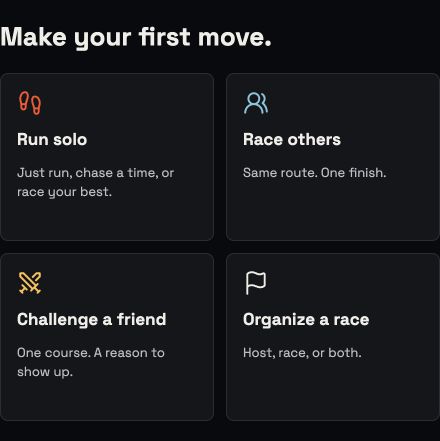
Choose the run you came for. The details arrive when you need them.
01 / Run solo
No pace? No problem.
Choose Just run to record time and distance, without
drawing a route or knowing your pace.
Choose your runJust run, choose a route, or draw your own private
route.
Add a target, only if you want oneOn a mapped route, set a finish-time goal or chase an
eligible previous effort on that same course and
direction.
Allow location, then startJust runs stay on your phone. Mapped race attempts follow the
race recording and result flow.
Current app component. Illustrative preview.
02 / Race others
Know the route. Know your start.
Find a race or open an invitationCheck the route, time and start style before joining. An
invitation is not a reserved place.
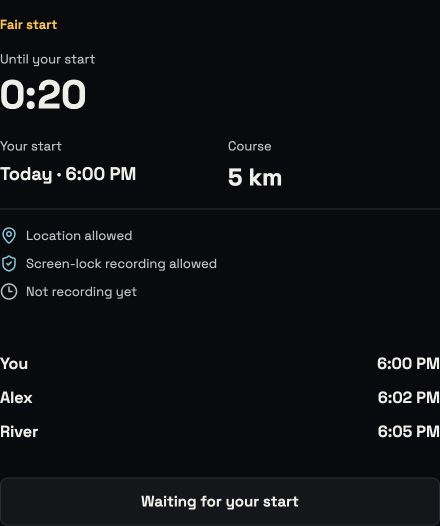
Join your fieldFair starts use your recent 5K pace. An unrestricted Same
start race does not need a pace; pace-limited races still
do.
Get ready and raceAt the route start, check location and recording readiness.
Follow your personal start time, then race the shared
course.
No nearby race? Challenge a friend with a mapped route and an
invitation.
Illustrative fair-start readiness, not an active race.
One course. Two ways to race.
Take the lead. Take it back.
Your pace sets your start. Same route. First across wins.
03 / Organize a race
Bring the people. You don't have to race.
Set the courseChoose or draw a route. Set the time and pick Fair start or
Same start.
Choose your roleHost only, or host and race. Share the invitation and manage
your runners.
See it throughManage the start window and review outstanding results.
Reschedule or cancel if plans change.
For a race that has not begun, hosts have a 48-hour late-start grace
period. After that, reschedule before starting. Rescheduling remains
available beyond the grace period.
After the line
The finish is a beginning.
Understand the result
Recorded is not always final. Catchfire shows review status
before a result is finalized.
Keep your progress
See your history, eligible route bests and private milestones in
Profile.
Give it another go
Share a final result, propose a rematch or take another run at
the route.
Save workout sends an eligible finish to Apple Health on iPhone in
enabled builds. Finished races can also be exported as FIT or GPX.
See availability.
The next starting line is yours
Come run with us.
Catchfire is in free beta on iPhone and Android. Request access for
your device; we will send the testing instructions.